
It comes up every time
Notifications triggered by business events. Appointment and job updates. Transactional alerts. Customer and employee communications. The list repeats from customer to customer, barely changing.
Every implementation runs into the same requirement: notify a customer, confirm an appointment, alert a field team. Building that messaging logic again for each project is slow, expensive and risky. CoPlaid gives you one communication layer to integrate once and reuse across every customer you deploy.
CoPlaid is built for software implementation partners, system integrators and solution providers who deploy business applications and keep meeting communication requirements along the way.
Notifications triggered by business events. Appointment and job updates. Transactional alerts. Customer and employee communications. The list repeats from customer to customer, barely changing.
Custom messaging logic per project consumes delivery time you priced for something else, and every bespoke build is another thing to maintain long after the implementation closed.
Reaching people at scale is regulated. Getting sender registration, consent or opt-out handling wrong is not a bug you patch quietly — it is a liability sitting inside your customer's deployment.
This is the part CoPlaid absorbs entirely. Carrier relationships, sender and campaign registration, consent, opt-out enforcement, retention and audit are ours to run. Nobody on your side or your customer's side has to become an expert in any of it.
You configure, trigger and scale. That is the whole surface you touch.
For customers who live in NetSuite, CoPlaid ships a SuiteScript bundle that puts the whole messaging console inside their NetSuite instance. It renders in NetSuite's own UI shell — the header, global search and navigation menu stay exactly where they were — so it reads as part of the system, not a link out of it. No separate CoPlaid login.
A Suitelet renders the console through NetSuite's own form layer, keeping its chrome and navigation intact. Users always have a way back, and the console never feels like a browser tab that wandered in.
Each console is opened by its own key, scoped to one product and to a read-write or read-only access mode. A key also carries a NetSuite host allowlist controlling which pages may embed it. Cross-use is refused server-side.
Upload the script, create the Suitelet and its deployment, paste the console key, add it to the navigation menu. An optional dashboard portlet gives users a launcher tile. The bundle ships with a full install guide.
A second console covers Route Optimisation, installed the same way with its own key. See it here.
This is what renders inside the Suitelet — the same console whether it is opened from NetSuite's navigation menu or from the CoPlaid app, with NetSuite's own header and menu around it.
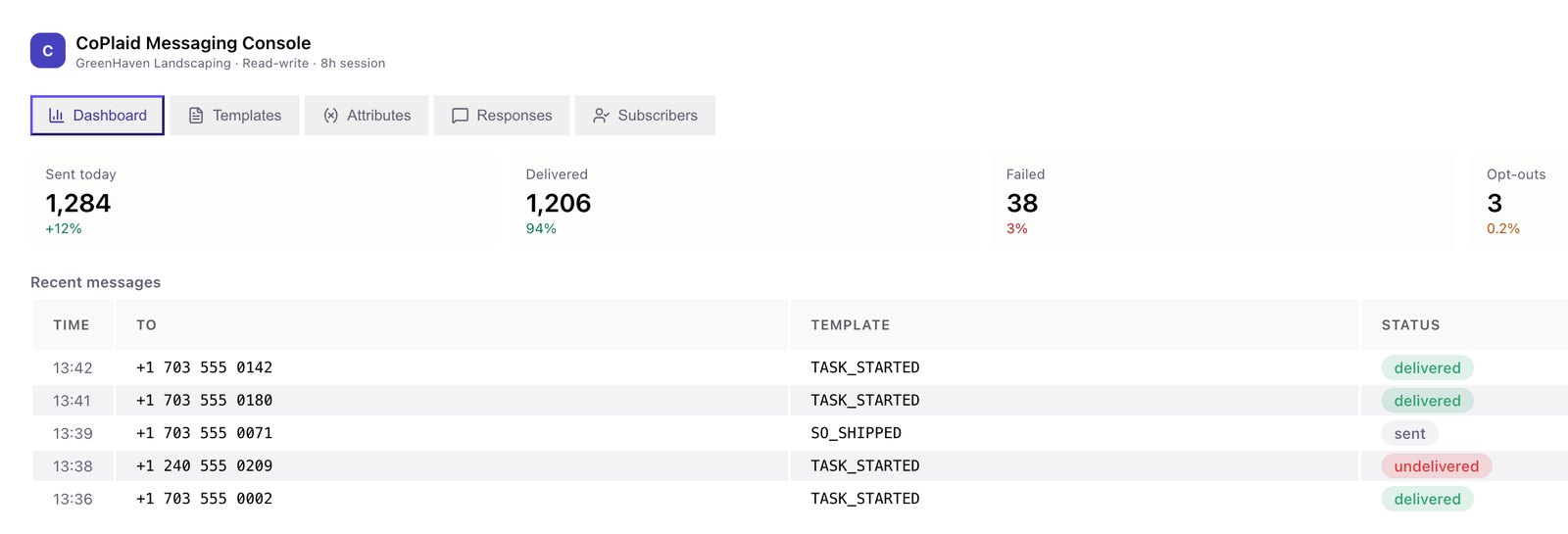
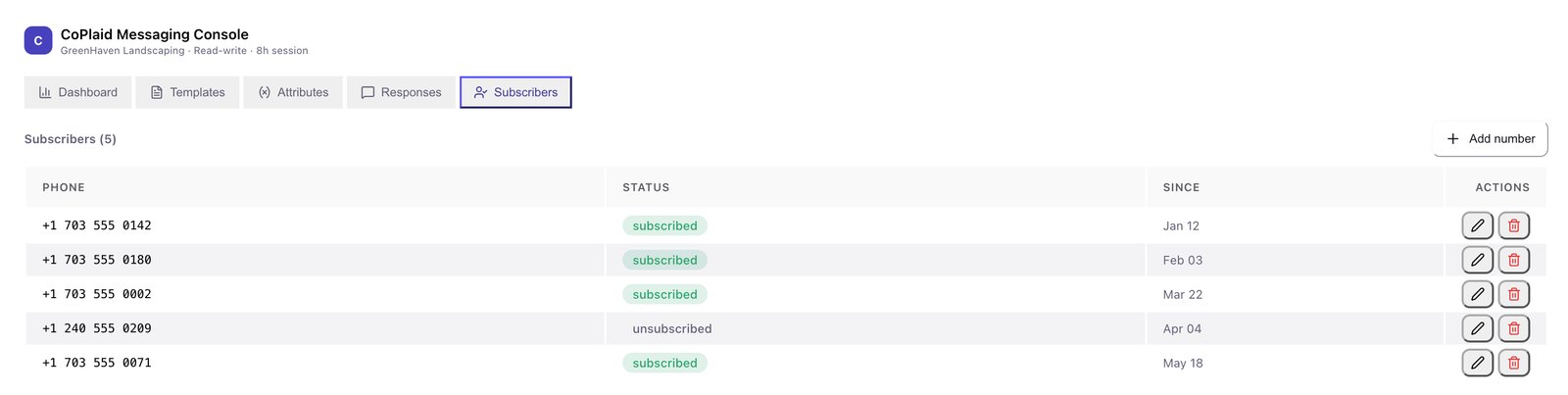
Sample data — reserved 555 numbers, fictional account names.
Integrate CoPlaid into your implementation framework once, then reuse it across every customer deployment with consistent messaging behaviour throughout. New projects inherit it rather than rebuilding it.
Trigger messages directly from business workflows — operational, transactional and service communications, with two-way messaging wherever a reply needs to do something.
Messages appear as customer-owned communications. No CoPlaid branding is exposed anywhere your customer or their end users can see. You stay the solution provider.
CoPlaid was designed to be called by other software, not to be a destination. There is no front end you are obliged to adopt and no framework you have to match.
When somebody asks whether a message went out, both of you can answer without opening a support ticket with a carrier.
All powered by a single, consistent platform.
Once, into the implementation stack you already use.
Through the APIs, or the console if they prefer to self-serve.
The same behaviour every time, with no bespoke rebuild.
Compliance, carriers and operations stay with us.
No. Carrier connectivity, sender and campaign registration, opt-in and opt-out enforcement, retention and audit logging are handled by CoPlaid. Your customers do not research it, build it or maintain it, and neither do you.
Once. CoPlaid is designed to be integrated into your implementation framework a single time and reused across every customer deployment, with consistent messaging behaviour throughout.
No. Messages appear as customer-owned communications and no CoPlaid branding is exposed. You remain the primary solution provider.
A Suitelet renders the messaging console inside NetSuite's own UI shell, so the NetSuite header, global search and navigation stay visible around it. Users manage templates, variables, response rules and subscribers without a separate CoPlaid login. Setup takes about 15 to 20 minutes and uses a scoped console key.
REST APIs over HTTPS with API key authentication, covering notifications, workflows, subscriptions and templates. It works with backend systems, job schedulers and business logic, with no dependency on a UI framework.
Job and service notifications, appointment confirmations and reminders, order and transaction updates, customer support communications, employee and field staff alerts, and compliance-sensitive notifications — all through one platform.
The communication layer implementation partners don't want to build — but always need.
API documentation is available in the Partner Dashboard.